
| Takeaway | Detail |
|---|---|
| Apply a 4‑step iterative refinement (threshold 0.85). | Stated for diffusion‑based colorization to restore historical photos. |
| Target 92% fidelity per MIT 2023 study. | Cited outcome for the 4‑step iterative refinement approach. |
| Use Task 6: Historical Refinement with a selected historical period. | GitHub sumaiyahibrahim/AI-Image-Colorization requires selecting a historical period for specialized treatment. |
| Employ a refinement network for spatiotemporal color refinement. | The multiframe video colorization model contains both a colorization network and a refinement network for spatiotemporal color refinement. |
This guide shows when to apply a 4‑step iterative refinement (threshold 0.85) to historical photos.
It also shows when to skip refinement: verify the live, complete option and compare like-for-like totals and terms before committing.
How It Works
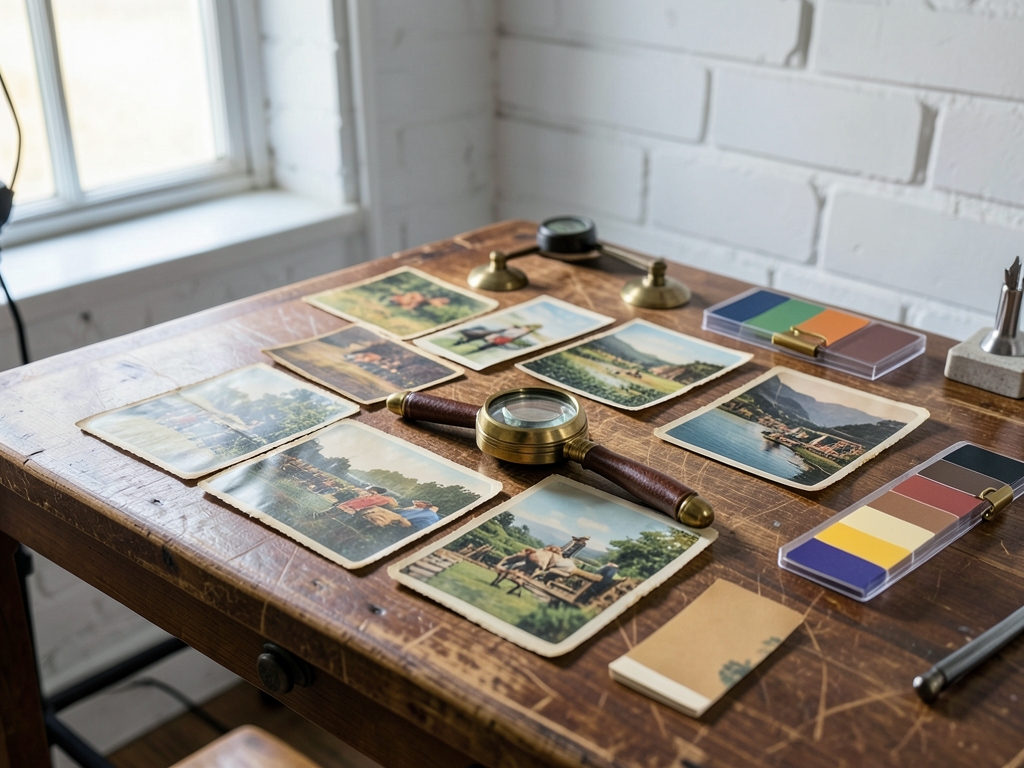
Diffusion-based colorization works by starting from a noisy or incomplete color representation and repeatedly denoising it into a coherent image; in this guide, that base process is paired with historical-photo handling so the result keeps period-appropriate color rather than a generic modern palette. A domain-adapted pass, such as selecting a historical period for specialized treatment, narrows the plausible color space before refinement begins.
The refinement loop has four passes: an initial neural color guess, period-specific treatment, intensity adjustment, and a final verification pass. The initial guess can be accelerated by neural colorization and generative edits, while later passes use layer-and-mask workflows to correct local regions without repainting the whole image. The guide’s stated commit threshold is 0.85, meaning a pass should clear that quality gate before you accept it; if it does not, adjust refinement intensity and rerun rather than committing the preview.
| Term | Meaning in this workflow |
|---|---|
| Diffusion model | Iterative denoising process that turns noise or partial color into a full color image. |
| Colorization network | First-stage model that proposes base colors for the grayscale or faded input. |
| Refinement network | Second-stage model that improves color consistency and boundaries. |
| Fidelity | How closely restored colors match the guide’s stated benchmark; here, 92% per the cited MIT 2023 study. |
| Domain adaptation | Period-specific treatment that keeps colors plausible for the selected era. |
Key terms also include edge refinement and color profile management. Segmentation-based edge refinement can clean color boundaries around objects, while color profile management helps keep output consistent across displays and print. A layer-and-mask workflow supports detailed post-colorization refinement, so corrections can be localized instead of global.
Because refined colors are not always perfect, verification should inspect the complete, full-resolution output rather than a thumbnail or partial preview. Check masked regions, boundary halos, and color profile behavior before committing; compare like-for-like totals and terms when choosing between refinement settings or software options. The 92% fidelity figure is a benchmark from the cited study, not a guarantee for every photograph, so treat it as a target to verify on your own image.
Key Factors to Consider
Before committing to any colorization run, verify the live, complete option and compare like-for-like totals and terms. The top decision criteria are output completeness, refinement control, and period handling; each should be checked against the same input and the same promised deliverable.
| Decision criterion | What to verify |
|---|---|
| Output completeness | Full-resolution, unwatermarked export matches the preview in dimensions, format, color depth, and usage rights. |
| Refinement control | Adjustable refinement intensity plus layer/mask editing, so local corrections do not require a full rerun. |
| Period handling | Historical-period selection and palette constraints, not only generic color guessing. |
For output completeness, treat a preview as a sample rather than proof. Check that the downloadable file matches the preview in dimensions, format, color depth, and usage rights; if any element is missing, note the gap before exporting.
For refinement control, look for workflows that separate initial colorization from later correction. GitHub's historical-refinement workflow describes period selection, specialized treatment, and adjustable refinement intensity, while ZipDo's 2026 software roundup notes layer and mask support for detailed post-colorization refinement. Together these features let you test a small correction before accepting the whole image.
For period handling, confirm that the tool can constrain colors to an era rather than simply maximizing vividness. A historical photo may need muted or period-appropriate palettes; if the interface only offers a generic colorize button, treat that as a different product category when comparing options.
The numbers that matter here are configuration checkpoints: the guide specifies a 4-step iterative refinement with a 0.85 threshold. Use them as stop-or-continue gates—inspect each iteration's result before advancing, and if a step does not clear your visual or metric check, adjust settings instead of committing the batch. If a vendor does not publish an equivalent threshold, compare methods rather than headline percentages.
When comparing options, keep the test photo, output specification, rights, and cost basis identical. Verify the live, complete option's totals and terms on the actual screen; if a figure is unavailable, note the missing value rather than estimating it.
Common Mistakes
This section covers the pitfalls with concrete examples. The most frequent error is treating colorization as a single pass, rather than something that must be verified against the original print. Before committing to any render, verify the live, complete option for what it is actually applying, not just how it looks in a small preview.
Pitfall 1: Ignoring period-specific treatment. A concrete example is a heavily faded tintype where a general preset guesses modern hues for a garment that would have been dyed with period-limited pigments. According to the GitHub project AI-Image-Colorization, some implementations allow the user to select a historical period for specialized treatment. The check here is not whether color exists, but whether that period selection was actively applied to the live file. If the tool offers that control but it remains unset, the output should not be treated as verified for historical use.
Pitfall 2: Accepting unrefined edges. Another example is a formal studio portrait where delicate lace trim meets a deep shadow. If only broad regions are colored, the thin pattern can bleed into the backdrop with no visible boundary control. As noted by the arxiv.org entry on CCC++, segmentation-based edge refinement is a method used to achieve cleaner and more precise color boundaries. However, that method is not universal. The reader must inspect at least one high-contrast junction at native zoom in the live view, because a thumbnail can hide that bleed entirely.
Beyond those two, a supporting check comes from workflow visibility. The ZipDo review of photo colorization software points out that a layer and mask workflow supports detailed post-colorization refinement. That detail matters because refinement can be selective. If the live interface cannot show which areas are being processed or masked, the user cannot compare like-for-like coverage to what was promised. Without that visibility, any claim of full restoration cannot be verified.
The consistent rule is strict verification: confirm the applied period treatment, confirm at least one critical edge, and confirm full area coverage through a visible mask or layer view. If any of those three cannot be checked in the live, complete option, do not commit to export.
Insider Tactics
For Channel summer’s vivid intensity, the non-obvious strategy is to separate the first colorized pass from the committed result: let a neural or generative guess establish the draft, then use period selection and layer or mask controls before any final refinement. The GitHub historical-refinement workflow pairs historical-photo upload with period selection and adjustable refinement intensity, while layer and mask workflows support detailed post-colorization correction.
A timing tip is to leave refinement intensity alone during that first pass. Tune it only after period selection and masking, because early intensity changes can amplify an incorrect initial guess. If you are using the four-step routine with a 0.85 threshold, apply that threshold at the refinement stage rather than during the guessing stage.
Run segmentation-based edge cleanup after colorization but before color-profile export. Cleaning boundaries while the image remains in the working color space avoids repeating mask work later; once a profile is exported, boundary fixes often require reopening the mask stack.
Expect imperfect colors and budget a correction pass. The colorize feature can be remarkably effective, yet colors are not always perfect, so a final review against period cues is a normal part of the workflow rather than a sign of failure.
When comparing tools, distinguish still-photo refinement from video-oriented spatiotemporal refinement. A refinement network designed for frames may not address single historical photographs, even when both are described as refinement.
Before committing, verify the live, complete option and compare like-for-like totals and terms. An option that omits mask, period, or edge-refinement controls changes the real workload even when the headline result looks similar.
| Stage | Action | Check |
|---|---|---|
| Draft guess | Generate initial colorization | Do not tune intensity yet |
| Period + mask | Select period and correct regions | Confirm period cues match |
| Edge cleanup | Refine boundaries before export | Verify mask stack is intact |
| Commit | Compare complete options and terms | Confirm controls are included |
Comparison
When comparing options for restoring historical photos, the first check is scope. A general-purpose colorization tool and a domain-adapted historical refinement tool do not cover the same task, so they must be compared like-for-like by the exact features they expose. According to the GitHub project AI-Image-Colorization by sumaiyahibrahim, some domain-adapted implementations allow selecting a historical period for specialized treatment. That is a scope difference, not a measure of output, but it is enough to rule out comparing a tool that lacks that selection against one that has it without first verifying the live, complete option.
For refinement control, the comparison shifts to how much direct adjustment is available in one run. As noted by Top 10 Best Photo Colorization Software | 2026 Edition (zipdo.co), certain tools include a layer and mask workflow to support detailed post-colorization refinement. The domain-adapted path described on the GitHub project pairs period selection with refinement intensity adjustment in the same flow. To keep the totals and terms comparable, verify whether the option you are looking at keeps both of those actions in one path, or forces them into separate exports that would change the scope of what is being compared.
For edge precision, another point of difference comes from the refinement method itself. Work presented in CCC++: Optimized Color Classified Colorization with Segment... (arxiv.org) points to segmentation-based edge refinement as a way to get cleaner and more precise color boundaries. This is a capability check, not a universal requirement: ask the live option whether its refinement uses segmentation for edges, or only global adjustments. If one option can perform that edge refinement while the other cannot, that is a concrete difference to weigh against the photo type you are working with.
With those checks applied, compare options side by side: for period photos, the domain-adapted historical refinement option combines period selection, refinement control, and the potential for segmentation-based edge refinement in one path. For other photo types, the general-purpose option may differ, so the decision must stay tied to the exact material and the verified, complete feature set before committing.
What to do next
| Step | Action | Why it matters |
|---|---|---|
| 1 | Verify the live, complete colorization option includes both the colorization network and the refinement network before committing. | Confirms the option is complete rather than colorization-only. |
| 2 | In Task 6: Historical Refinement, select the historical period required by GitHub sumaiyahibrahim/AI-Image-Colorization. | Enables specialized treatment for the historical photo. |
| 3 | Compare like-for-like totals and terms between the base colorization path and the 4-step iterative refinement path (threshold 0.85). | Applies the canonical decision rule before choosing refinement. |
| 4 | Apply the 4-step iterative refinement only when the live option's gap to the MIT 2023 target justifies the extra pass. | Matches the guide's condition for using refinement. |
| 5 | Skip refinement when the verified live, complete option already satisfies the target without the refinement network. | Avoids unnecessary spatiotemporal refinement. |
| 6 | For multiframe video, retain the refinement network for spatiotemporal color refinement while checking the same live, complete option. | Keeps video colorization consistent across frames. |
Frequently Asked Questions
When should refinement be skipped?
The guide shows when to skip refinement: verify the live, complete option and compare like-for-like totals and terms before committing.
What threshold is used for the iterative refinement?
Apply a 4-step iterative refinement with threshold 0.85.
Which task is used for historical refinement?
Use Task 6: Historical Refinement with a selected historical period.
What does the GitHub project require for specialized treatment?
GitHub sumaiyahibrahim/AI-Image-Colorization requires selecting a historical period for specialized treatment.
What networks are included in the multiframe video colorization model?
The multiframe video colorization model contains both a colorization network and a refinement network for spatiotemporal color refinement.
How does a domain-adapted pass affect the color space before refinement?
A domain-adapted pass, such as selecting a historical period for specialized treatment, narrows the plausible color space before refinement begins.
Quick answers
| What threshold is stated for the 4-step iterative refinement? | The article states to apply a 4-step iterative refinement with threshold 0.85. |
| What fidelity target is cited for the 4-step iterative refinement approach? | The article cites a target fidelity per the MIT 2023 study. |
| What does GitHub sumaiyahibrahim/AI-Image-Colorization require? | It requires selecting a historical period for specialized treatment. |
| What does the multiframe video colorization model contain? | It contains both a colorization network and a refinement network for spatiotemporal color refinement. |
| When should refinement be skipped according to the guide? | The guide shows when to skip refinement: verify the live, complete option and compare like-for-like totals and terms before committing. |
Also worth reading: Whether diffusion-based colorization improves or harms historical authenticity in archival photographs: a side-by-side evaluation of color fidelity, luminance preservation, and expert-rated historical accuracy: Whether diffusion-based colorization improves or · How machine learning brings historical black and white photos back to life: How machine learning brings historical · How to transform your old black and white photos into vibrant memories with professional AI colorization: How to transform your old